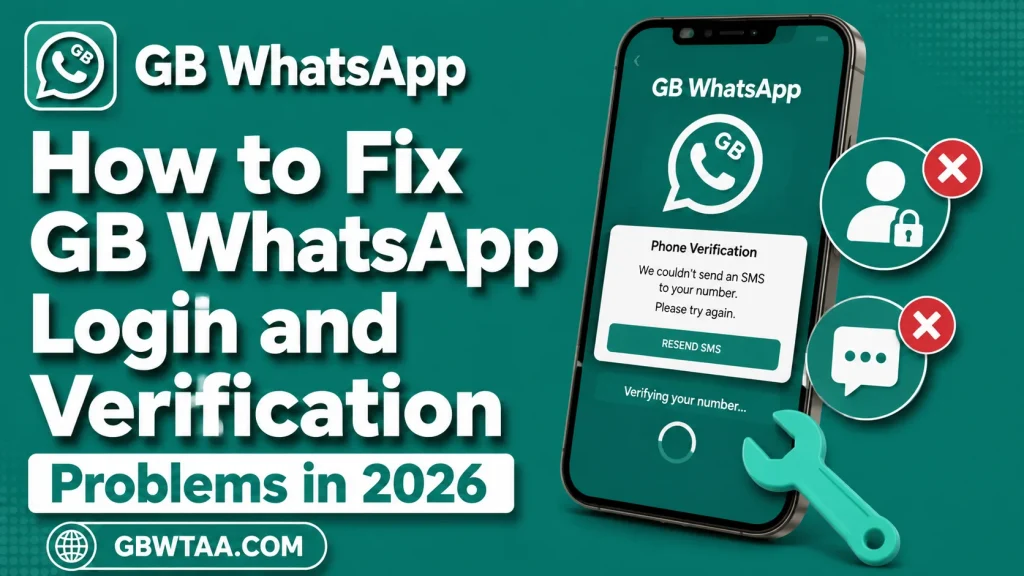
How to Fix GB WhatsApp Login and Verification Problems in 2026
Login and verification problems can be frustrating when using GB WhatsApp. Users may encounter issues such as verification codes not arriving, incorrect phone numbers, network problems, application errors, or account restrictions.
Because GB WhatsApp is an unofficial modified application, some problems can also be related to compatibility or the use of third-party software. This guide explains common causes and safe troubleshooting steps.
What Is a GB WhatsApp Login Problem?
A login problem occurs when GB WhatsApp cannot successfully complete the account setup or verification process.
Common symptoms include:
- Verification code not received
- SMS verification failure
- Phone number not accepted
- Verification process stuck
- Application repeatedly requesting verification
- Login screen loading continuously
- Account temporarily restricted
- Application crashing during verification
The correct solution depends on the specific problem.
1. Check Your Phone Number
The first step is to make sure the phone number has been entered correctly.
Check the country code and phone number carefully. Avoid adding unnecessary spaces, symbols, or incorrect digits.
A simple number-formatting mistake can prevent verification.
2. Check Your Mobile Network
Verification normally requires a working mobile connection.
If your signal is weak, move to an area with better coverage and try again.
You can also check whether normal SMS messages and phone calls are working on your device.
3. Check Your Internet Connection
GB WhatsApp may require an internet connection during account setup.
Try switching between mobile data and a trusted Wi-Fi connection to determine whether the issue is network-related.
Avoid unstable public networks when entering sensitive account information.
4. Wait for the Verification Code
If a verification code does not arrive immediately, avoid repeatedly requesting new codes.
Repeated requests can create temporary delays or restrictions.
Wait for the appropriate verification period shown by the application and try again later.
5. Check Your SMS Inbox
Make sure your phone can receive SMS messages.
Check whether your messaging application has sufficient storage and whether spam or filtering features are affecting incoming messages.
If normal SMS messages are also delayed, the issue may be related to your mobile network or carrier rather than GB WhatsApp.
6. Check Automatic Date and Time
Incorrect device time can sometimes cause authentication or connection problems.
Open your Android settings and enable automatic date and time if that option is available.
Then restart the application and try the verification process again.
7. Restart Your Device
A simple restart can resolve temporary network, memory, or application problems.
Close GB WhatsApp, restart your phone, reconnect to the internet, and try the login process again.
8. Check Available Storage
Low storage can cause applications to behave unexpectedly.
Check your device’s available storage and remove unnecessary files if needed.
Do not delete important photos, documents, or application data without checking what they contain.
9. Check Application Permissions
If the application requires certain permissions to function, review the permissions available to it.
However, avoid granting unnecessary permissions simply to make an application work.
If an unofficial application requests access that seems unrelated to messaging, consider whether you should continue using it.
10. Clear Temporary Application Data
If GB WhatsApp repeatedly crashes or freezes, clearing temporary application data may sometimes help.
Before doing this, understand the difference between clearing cache and clearing application storage. Clearing application storage can remove locally stored information and may require you to set up the application again.
Always protect important data before making changes.
Verification Code Not Received
One of the most common login complaints is not receiving the verification code.
Possible reasons include:
- Weak mobile signal
- Incorrect phone number
- SMS delivery delay
- Network problems
- Too many verification attempts
- Temporary service restrictions
- Device-related issues
Check the basics first and avoid repeatedly requesting codes.
Voice Verification
If the application’s legitimate verification process provides an available voice-call option, follow the instructions displayed on the verification screen.
Never provide the verification code to another person.
Your verification code should remain private.
GB WhatsApp Login Keeps Loading
If the login screen continuously loads, check your internet connection first.
Restart the application and device, then try again on a stable network.
If the problem only occurs with GB WhatsApp while other applications work normally, compatibility with the modified application may be involved.
GB WhatsApp Says Number Is Not Supported
A number-related error can occur because of formatting, application compatibility, service restrictions, or other account issues.
Double-check the country code and phone number.
If the issue continues, consider using the official WhatsApp application because unofficial modifications may not provide the same compatibility as the official software.
Account Temporarily Restricted
If your account has been restricted, avoid repeatedly attempting to bypass the restriction through third-party methods.
Using unofficial modifications can create account-related risks.
The safest approach is to follow legitimate account-support and recovery procedures.
Avoid Fake Verification Websites
Never enter your WhatsApp verification code into a website simply because it claims to fix a login problem.
A verification code is sensitive account information.
Be particularly cautious with pages promising:
- Instant account recovery
- Guaranteed unban services
- Permanent anti-ban protection
- Free verification codes
- Account activation through another website
These claims can put your account at greater risk.
GB WhatsApp Login After an Update
Login problems may appear after changing application versions.
The new version could have compatibility problems or changes that affect account setup.
If the issue began immediately after an update, check whether the application is compatible with your Android version.
Keep important data protected before making additional changes.
When to Consider Official WhatsApp
If you repeatedly experience login, verification, or account problems with GB WhatsApp, switching to the official WhatsApp application may provide a more predictable experience.
Official WhatsApp is developed and distributed through supported channels and provides an established account-support system.
Quick Troubleshooting Checklist
| Problem | What to Check |
|---|---|
| Code not received | Signal, SMS service, number format |
| Internet error | Wi-Fi or mobile data |
| Number rejected | Country code and phone number |
| Verification delayed | Avoid repeated requests |
| App crashes | Compatibility, storage, updates |
| Login keeps loading | Network and application stability |
| Account restricted | Follow legitimate support procedures |
| Problems after update | Version compatibility |
How to Prevent Future Login Problems
Keep your phone updated and maintain a stable mobile connection.
Protect your account information and never share verification codes.
If you use third-party applications, carefully consider their privacy and security implications before giving them access to your personal data.
Final Thoughts
GB WhatsApp login and verification problems can have many causes, including network issues, incorrect phone numbers, SMS delays, application compatibility, and account restrictions.
Start with simple troubleshooting steps such as checking your number, network, device settings, storage, and application compatibility. Avoid suspicious websites and never share your verification code.
Because GB WhatsApp is unofficial, users should also understand that some account and compatibility problems may not have the same support options available with official WhatsApp.
Frequently Asked Questions
Why is my GB WhatsApp verification code not arriving?
Check your phone number, country code, mobile signal, and SMS service. Avoid repeatedly requesting codes because this can cause additional delays.
How long should I wait before requesting another code?
Follow the waiting period shown by the verification system instead of repeatedly requesting new codes.
Why does GB WhatsApp keep asking me to verify?
Possible causes include application problems, compatibility issues, account changes, or failed verification attempts.
Can I share my verification code with support?
Never share a verification code with another person or an unfamiliar website.
What should I do if my GB WhatsApp account is restricted?
Follow legitimate account-support procedures and consider switching to the official WhatsApp application rather than trying to bypass restrictions with another unofficial modification.
Is official WhatsApp better for account reliability?
Official WhatsApp generally provides a more predictable supported environment for account management, verification, and updates.